You sketch a face, but the eyes look huge compared to the nose. The whole thing feels off, like it’s staring back at you funny. That happens because proportions went wrong; the sizes and spaces between parts don’t match real life.
Proportions mean the right relationships between sizes in your work. Think drawing, art, design, or photography. They make images feel real and balanced. A tiny head on a big body looks cartoonish. Good proportions draw the eye smoothly and create impact. Artists have used them for centuries to grab attention.
This post shows why they matter with clear examples. You’ll get steps to fix mistakes and build skills. Plus, exercises and 2026 tools make it easy. Ever notice how nature follows patterns like the Golden Ratio? It pops up in shells and flowers. Artists copy that for beauty. Stick around to learn how.
How Proportions Bring Realism and Balance to Your Creations
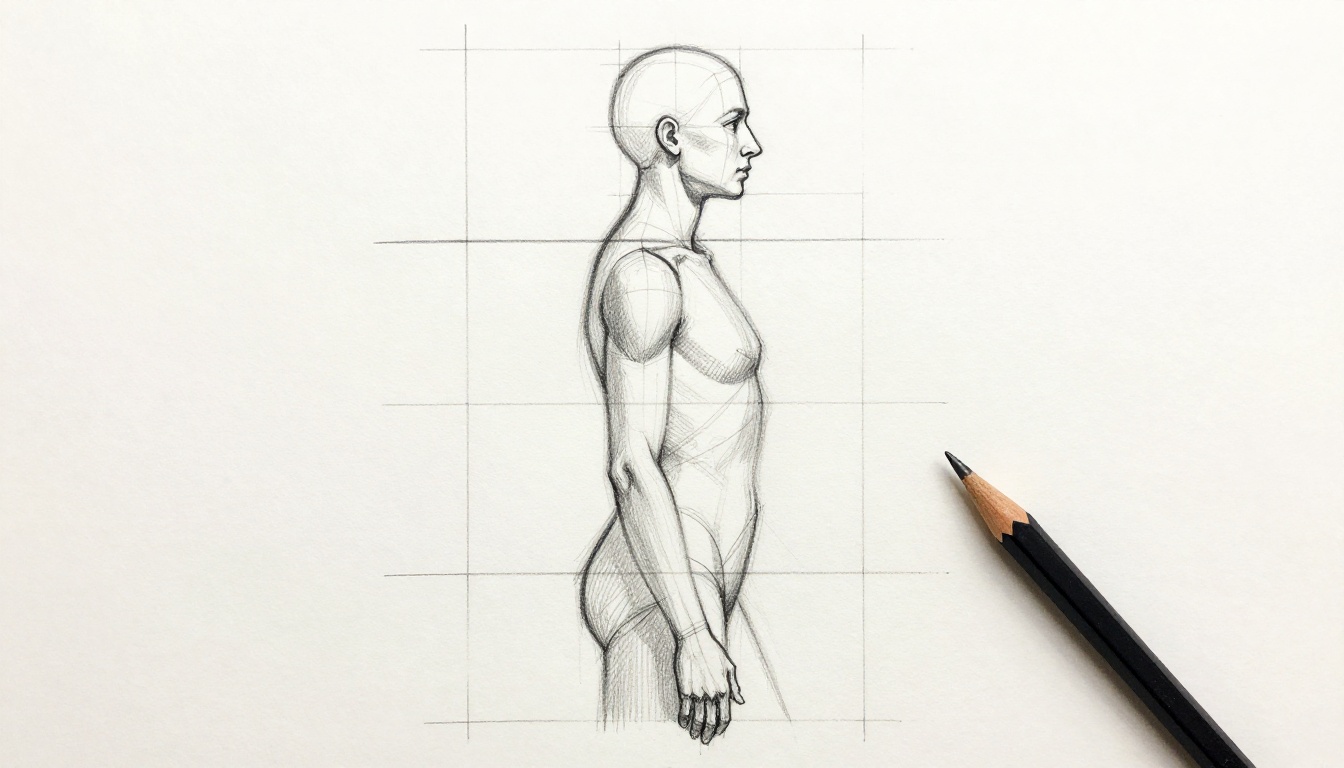
Proportions turn flat sketches into lifelike scenes. They match real-world sizes, like an adult head being one-eighth of body height. Get that right, and figures look strong and natural. Mess it up, and everything tilts weird.
Balance comes next. Eyes follow paths without strain. A logo with even spacing reads fast. In photos, subjects sit just right in the frame. The Golden Ratio helps here; it’s about 1:1.618. Divide a rectangle that way, and it feels calm and pleasing. Painters place key elements along those lines.
In design, tight proportions boost trust. A website layout with balanced buttons guides clicks. Photography crops follow the same rule for punchy shots. Results? Your work grabs viewers longer. They feel harmony, not chaos.
This sketch shows ideal body ratios in action. Notice the even weight shift.
For deeper info on the Golden Ratio in classics, check Golden Ratio applications in art and design.
Real-Life Examples That Prove the Power of Proportions
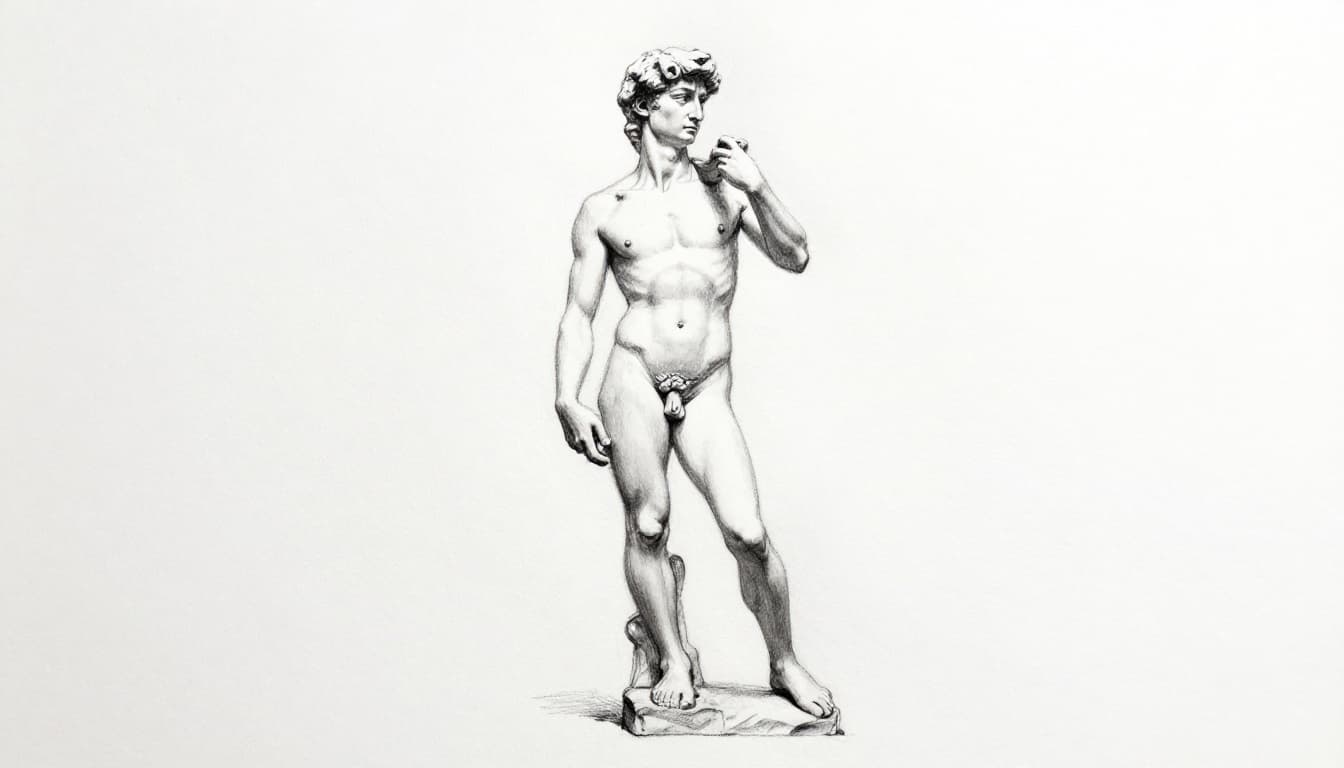
Michelangelo nailed it with David. The statue’s body follows an 8-head scale. Legs anchor strong; torso twists just right. It screams power because ratios match human ideals.
Caricatures flip that. Artists stretch noses or shrink chins for laughs. Exaggeration works since you know normal proportions. It highlights funny traits without confusion.
Greek temples used the Golden Mean. Columns space by that 1:1.618 ratio. Structures look stable and grand from afar. No wonder they stand today.
Modern twists shine too. Otto Boll’s Helix sculpture warps scales for drama. In photography, pros crop portraits to Golden spirals. Eyes land on faces fast. Designers build logos like Apple’s; simple curves balance perfectly.
By 2026, AI suggests ratios for VR art. Immersive worlds feel real when proportions align.
Spot the Most Common Proportion Mistakes Holding You Back
Eyes too big? That’s mistake number one. You guess sizes from memory, not measures. Faces end up kid-like on adult heads. Fix it by comparing to a head unit first.
Stiff figures come from ignoring angles. Lines don’t tilt right, so poses look wooden. Negative space suffers too; gaps between arms and body squeeze wrong. Result? Crowded, unreal work.
Early block-ins fail next. You dive into details before rough shapes. Proportions drift as you add features. Always sketch light outlines first.
No checks seal the deal. Skip overlays or flips, and errors hide. In portraits, chins grow too long. Photos tilt horizons off-level.
These happen because eyes trick us. Brains fill gaps wrong. Spot them early, and you save hours. Confidence grows with each fix. For step-by-step fixes on these issues, see how to draw accurate proportions.
Step-by-Step Techniques to Nail Proportions Every Time
Start simple. Pick a base unit, like head height. Hold your pencil at arm’s length. Thumb marks that length. Compare everything to it. Bodies often fit 7.5 to 8 heads.
Next, check angles. Extend your arm again. Tilt the pencil to match a line, like shoulder to elbow. Note that against your paper. It keeps poses true.
Divide your canvas into quarters. Mark center lines vertical and horizontal. Place major parts there first. Grids work great for photos too; viewfinders snap them on.
Observe negative space now. Look at shapes around objects, not just the objects. In a portrait, the ear-to-chin gap matters as much as the nose.
Compare lines side by side. Vertical from chin to floor? Horizontal from eye to ear? Adjust as you go.
Light block-in wraps it up. Sketch loose shapes before details. In design apps, use guides. Photographers level horizons early.
- Base unit measure: Arm out, thumb set. Relate all parts.
- Angle checks: Pencil tilt, transfer to page.
- Grid or quarters: Block major areas.
- Negative space: Eye the gaps.
- Line compares: Up-down, side-side.
- Loose block-in: Build slow.
Practice these in drawing or apps. Results show fast.
Daily Exercises to Train Your Eye for Perfect Proportions
Grab paper for quick sketches. Do 10 faces in 10 minutes from photos. Speed builds intuition.
Overlay pencil on references. Trace grids lightly, then freehand. Compare differences.
Memory games help. Glance at a photo 10 seconds. Sketch from recall. Check against original.
Spend 15 minutes daily. Short bursts beat long slogs. Muscle memory kicks in weeks. Your eye spots off ratios quick.
Top Tools and Apps to Supercharge Your Proportion Skills in 2026
Grab a clear ruler first. Slide it over references for instant compares. Cheap and portable.
Scale dividers beat that. They transfer sizes exact, like 1:2 ratios. Artists swear by them for figures.
Digital shines brighter. Procreate overlays grids and flips canvases. Angle snapping locks lines true. Free tier starts you off.
Photoshop and Clip Studio add AI hints. They suggest body ratios as you draw. Infinite Painter matches with layers.
AR apps explode in 2026. Da Vinci Eye traces live via phone camera. Great for beginners. GridArt adds grids to any photo; sketch square by square.
Blender builds 3D refs. Rotate models for every angle. Free and powerful.
| Tool/App | Best For | Key Feature | Cost |
|---|---|---|---|
| Procreate | Digital drawing | Grids, flips | $13 one-time |
| GridArt | Photo grids | Custom cells | Free with IAP |
| Da Vinci Eye | AR tracing | Live overlays | Free tier |
| Blender | 3D refs | Any-angle views | Free |
These give feedback loops. Start free; upgrade later. For AR picks, read best AR drawing apps in 2026.
Proportions build realism and pull viewers in. You now know why they click, common traps to dodge, proven steps, eye drills, and fresh tools.
Pick one technique today. Measure a photo for 15 minutes. Share your before-and-after in comments. Better ratios mean work that stops scrolls. Your art levels up now. What will you tackle first?